Diwali Double Portrait AI Prompts 2026: 7 Poster Style Ideas for Gemini and ChatGPT
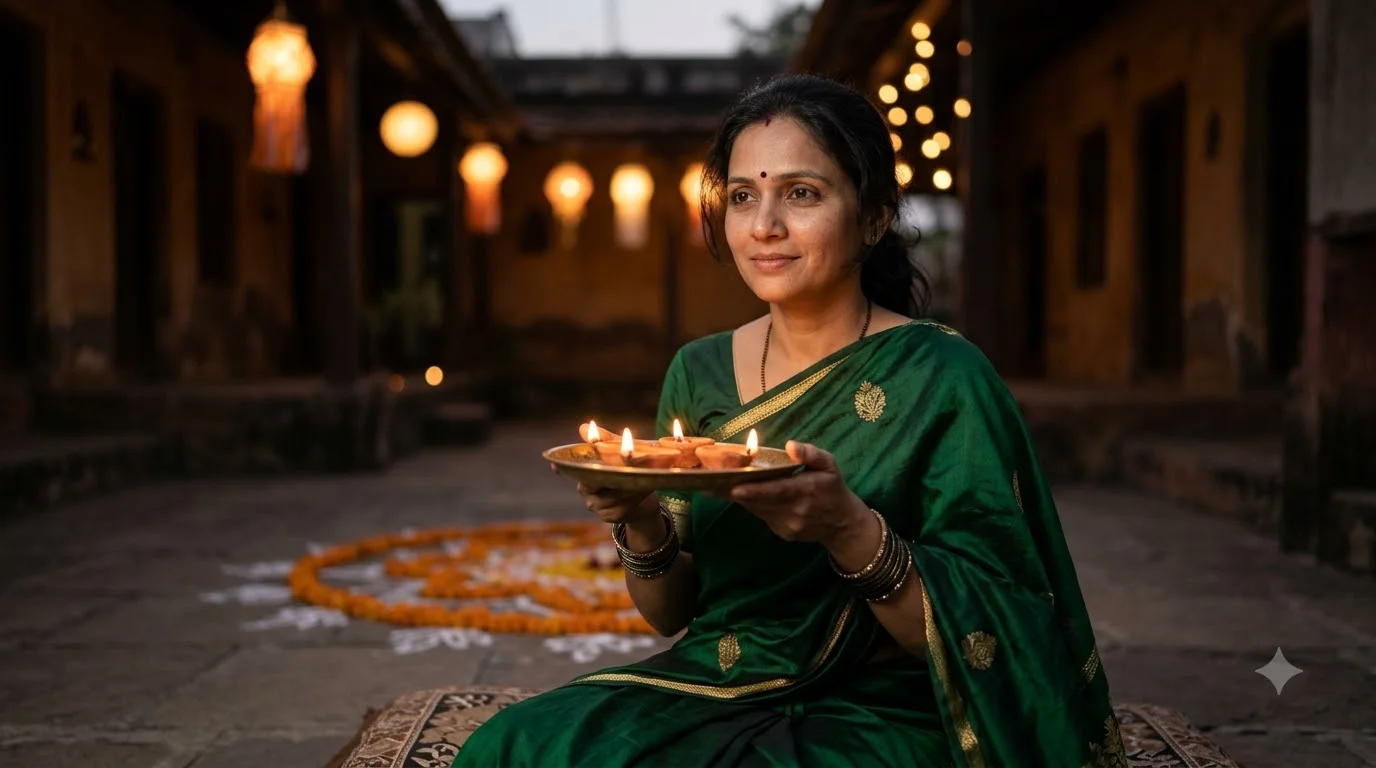
A normal Diwali selfie looks like everyone else’s feed. A double portrait looks like a designed poster. One large, soft, faded portrait sits in the background, and a smaller full-body version of the same person stands in front, usually holding a diya. The effect is cinematic, and you only need one reference photo.
This guide explains how the technique works, gives you seven original prompts, and shows how to fix the most common problem: the background face turning into a different person.
What Is a Double Portrait Prompt?
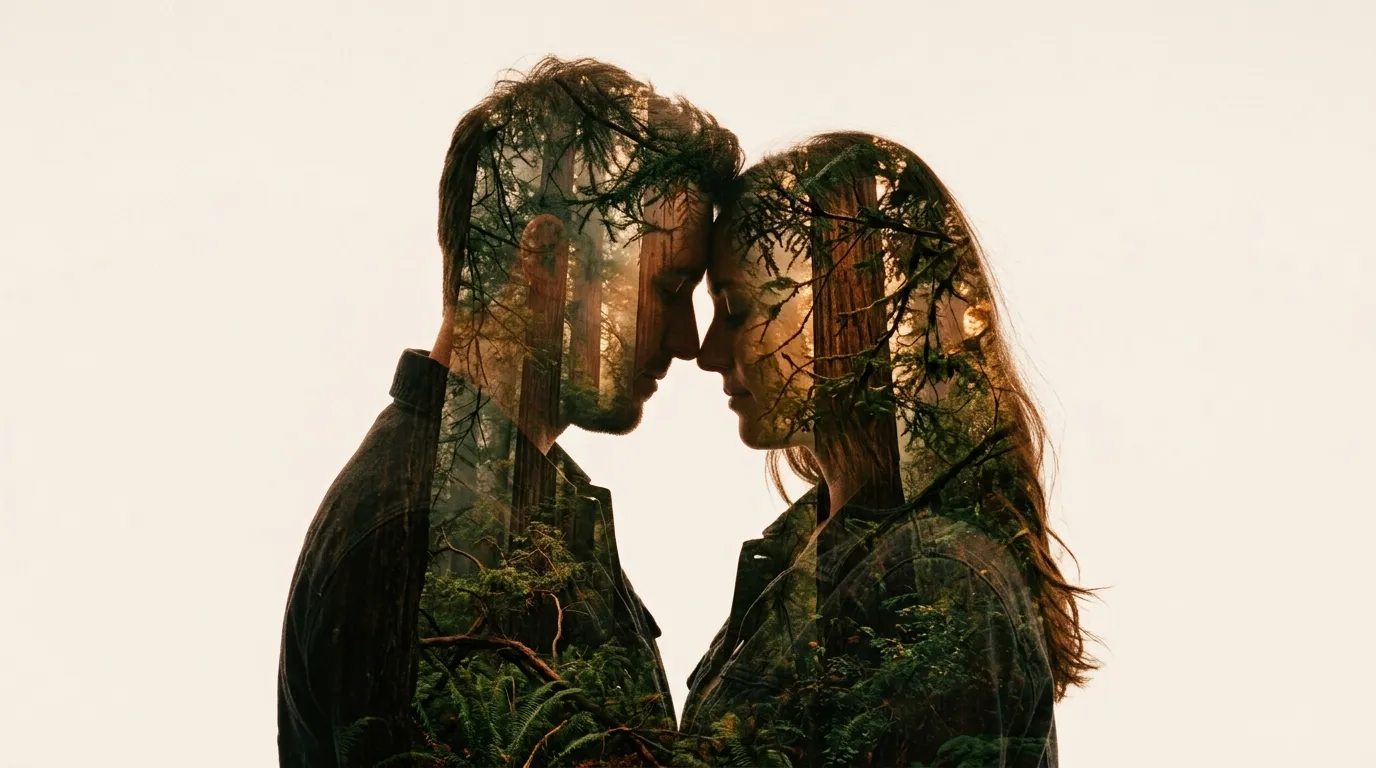
A double portrait (also called a layered or double exposure portrait) puts two versions of one subject in a single frame:
- The background layer: a large close-up of the face and shoulders, blended softly into the scene
- The foreground layer: a smaller, sharp, full-body figure with the main pose and outfit
The AI has to keep one identity across both layers, which is why this style needs more careful prompting than a normal portrait. The prompts below handle that for you.
Why This Guide Is Reliable
I have been testing festival image prompts on Gemini and ChatGPT image tools for several seasons, and the method here comes from repeated trials. The most important lessons are:
- A clear, front-facing reference photo matters more than any prompt wording.
- Naming the light source (diya, lantern, sparkler) gives better results than naming only the outfit.
- Telling the model that both layers are the same person prevents most identity errors.
- Two or three generations are almost always needed before you get the best version.
Results vary by tool and by photo. Treat each prompt as a strong starting point and adjust it to your own look.
Before You Begin
Choose the right reference photo
Use a bright, front-facing photo with no sunglasses, no heavy filters and no cropped forehead or chin. If you want a group result, make sure every face is clearly visible.
Decide the poster ratio first
Use 9:16 for Stories, Reels covers and WhatsApp status. Use 4:5 for feed posts and Facebook.
Keep the scene simple
One main light source, one main prop and one color palette give the cleanest results.
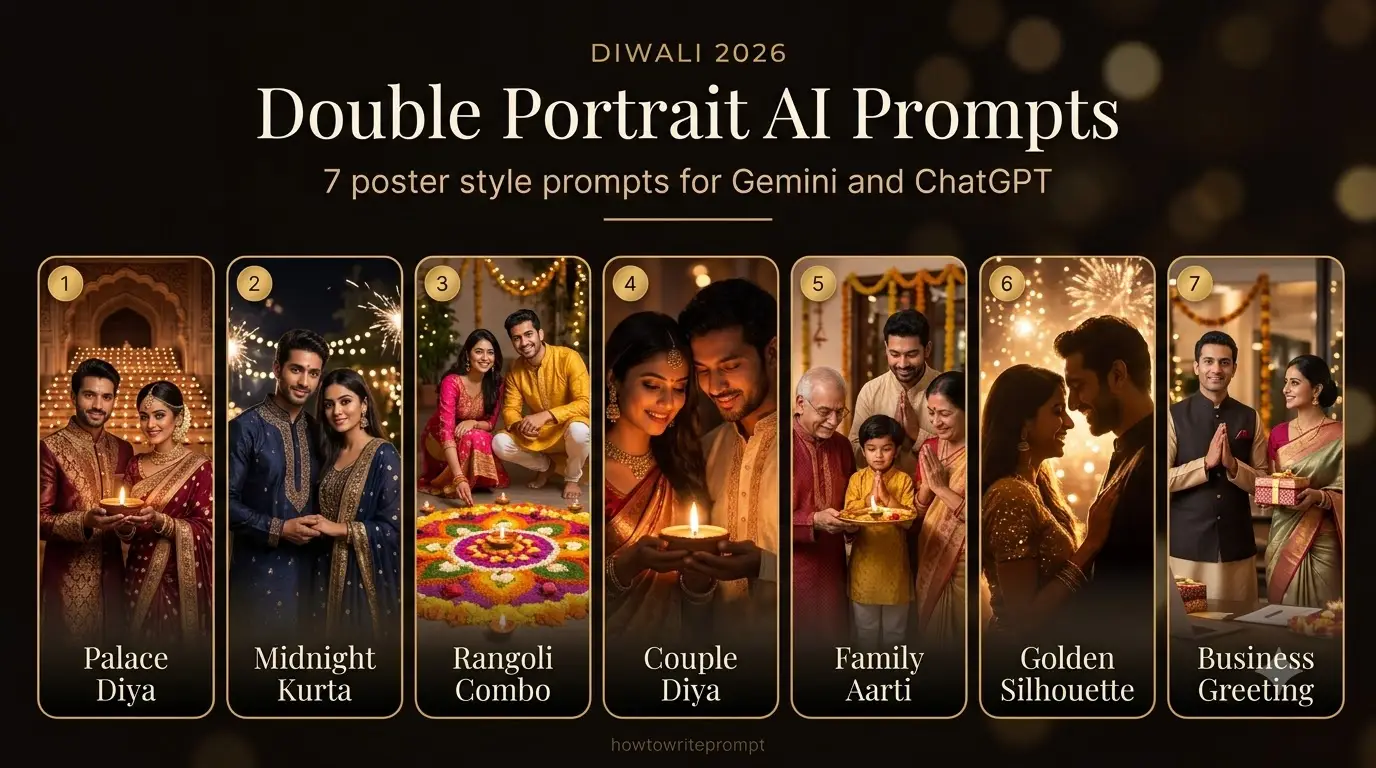
Prompt 1: Ivory and Gold Palace Diya Poster (Women)
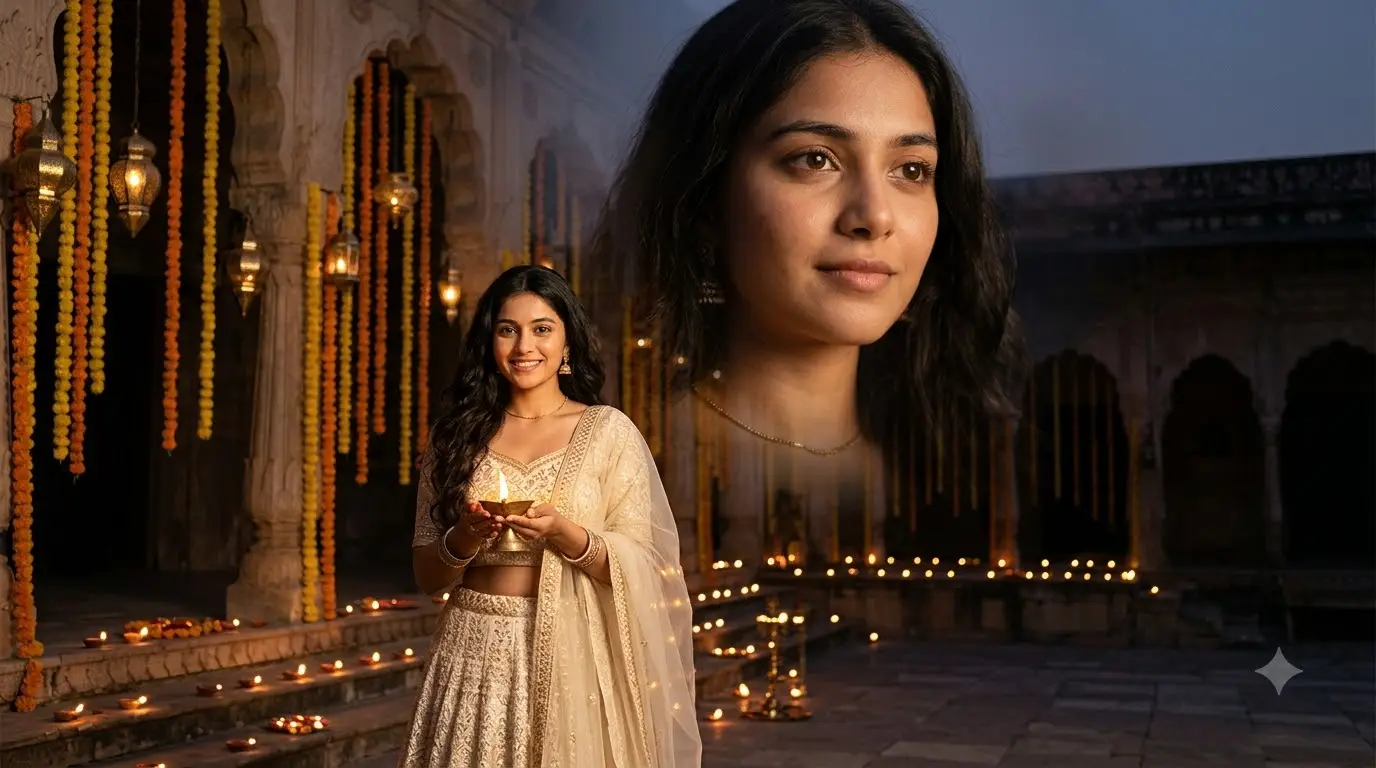
This is the classic version. Soft light, a premium palette and a calm, graceful pose.
Use the uploaded photo as the exact identity reference. Keep the face, skin tone, eyes, nose, lips and hairstyle unchanged, with no beautification. Create a realistic luxury Diwali poster in 9:16 vertical format, showing the same young woman twice. In the upper right of the frame, a large, softly faded close-up of her face and shoulders blends into the background like a gentle double exposure. In the foreground, slightly left of center, a smaller full body version of the same woman stands holding one lit brass diya at waist level, smiling warmly at the camera. Both versions are clearly the same woman, with identical face, hair and age. Outfit: an ivory and champagne gold lehenga with fine embroidery, a sheer matching dupatta over one shoulder, subtle gold earrings and a slim necklace. Setting: a grand palace courtyard with hanging brass lanterns, marigold garlands, rows of glowing clay diyas on the floor and warm golden bokeh lights. Lighting: soft golden hour glow, diya flame as a gentle key light, natural shadows. Camera: 85mm portrait look, sharp foreground face, softened background portrait, realistic hands and fabric texture. Avoid twins, extra people, plastic skin, distorted hands and text.
Prompt 2: Midnight Blue Kurta Poster (Men)
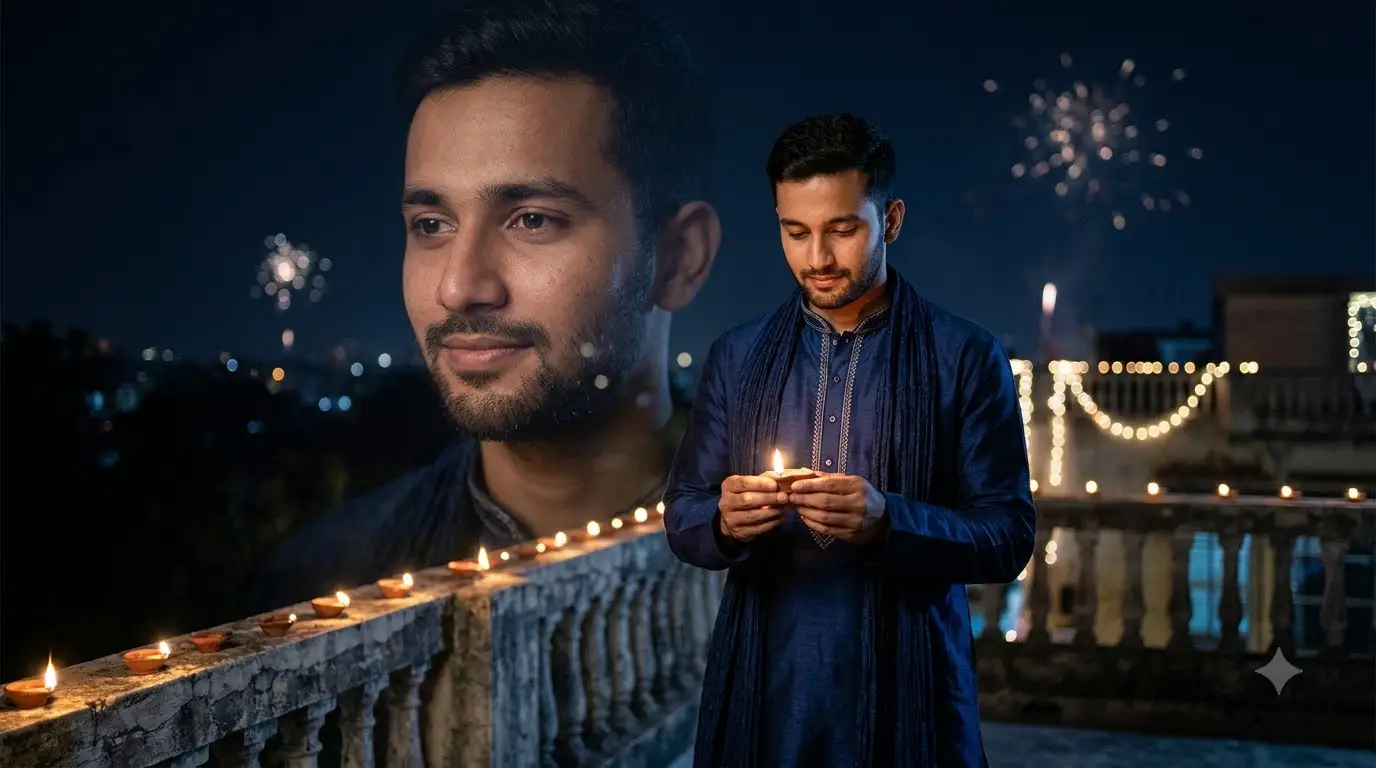
A cooler palette that makes the warm diya light stand out.
Use the uploaded photo as the exact identity reference. Keep the face, beard, hairstyle and skin tone unchanged. Create a realistic Diwali poster in 9:16 vertical format showing the same young man twice. A large, soft, semi transparent portrait of his face and shoulders fills the left background, fading into the night. A smaller, sharp, full body version stands in the foreground slightly right of center, holding a lit diya with both hands. Both versions must be the same man, with no extra people. Outfit: a deep midnight blue silk kurta with subtle silver thread work and a matching stole. Setting: a quiet stone terrace at night with rows of diyas along the edge, soft string lights, and a dark blue sky with faint fireworks in the distance. Lighting: warm diya light on the face and hands, cool blue ambient light on the clothes for contrast. Camera: 85mm look, f/2, sharp face, creamy background. Natural skin texture, correct hand anatomy and real fabric weave. Avoid heavy filters, CGI look, extra fingers and text.
Prompt 3: Rangoli Overhead and Portrait Combo
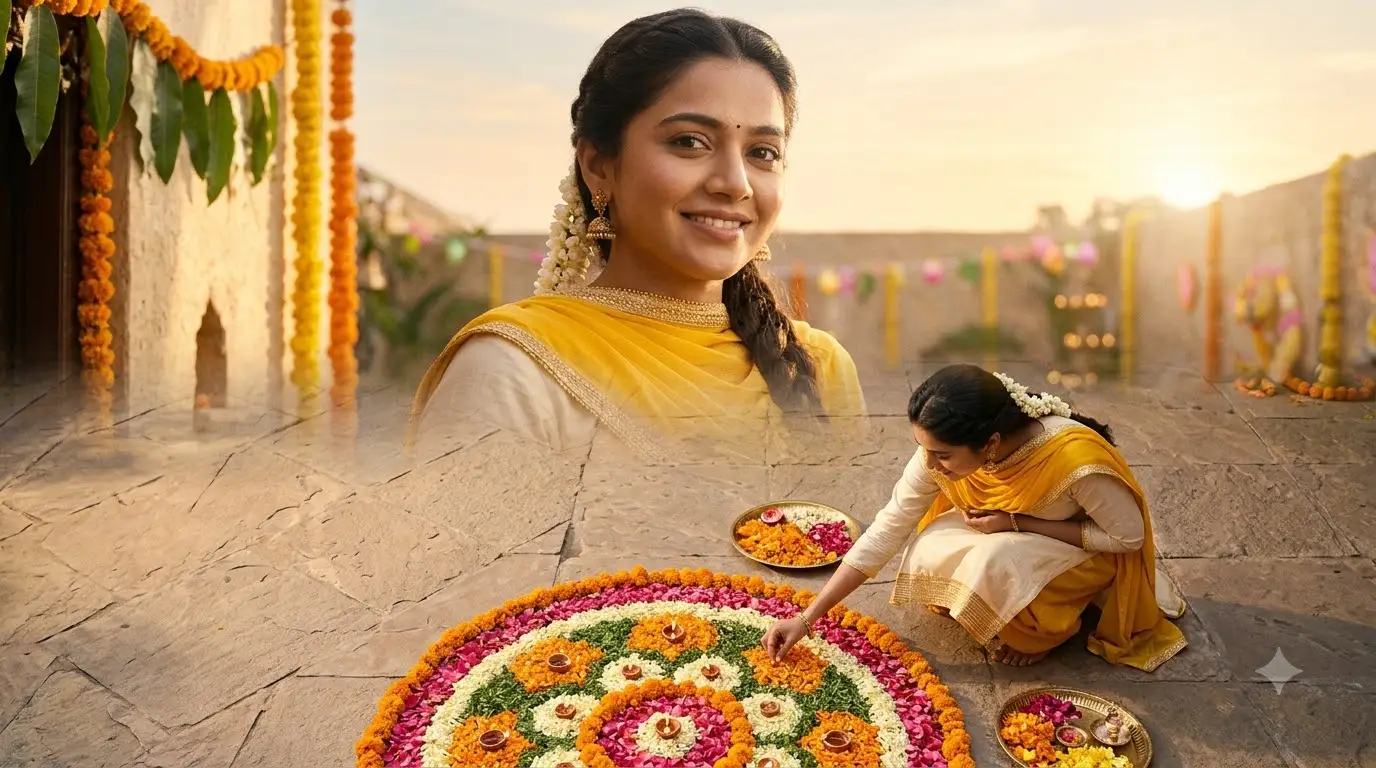
This one pairs a top-down rangoli with a face portrait, which makes a very shareable poster.
Use the uploaded photo as the exact identity reference with no facial changes. Create a realistic Diwali poster in 4:5 vertical format with two layers of the same person. The lower half of the frame shows a beautiful colorful rangoli seen from directly above, with the person crouching beside it, placing a marigold petal in the pattern. The upper half shows a large, soft, faded close-up portrait of the same person smiling gently, blending into a warm morning sky and courtyard wall. Same face, hair and skin tone in both layers. Outfit: a festive yellow and cream kurta (or saree) with a small gold border. Lighting: soft early morning sunlight, warm and natural. Colors: marigold orange, rose pink, leaf green and cream. Camera: realistic, natural perspective, sharp rangoli detail and sharp foreground face. Avoid extra people, text, logos, plastic skin and distorted hands.
Prompt 4: Couple Diya Poster
Double portraits work well for couples if you tell the model to treat each person separately.
Use the uploaded couple photo as the identity reference. Keep both faces, skin tones and hairstyles unchanged and do not merge the two people. Create a realistic Diwali poster in 9:16 vertical format. In the background, a large soft faded close-up of the couple’s faces together fills the upper part of the frame like a gentle double exposure. In the foreground, a smaller full body version of the same couple stands side by side, lighting a single large diya together. She wears a deep teal saree with a gold border, and he wears an off white kurta with a teal stole. Setting: a decorated veranda with marigold garlands, small clay lamps and warm fairy lights. Lighting: warm 3000K diya glow on both faces, soft golden fill. Camera: 85mm look, both faces sharp in the foreground. Natural hands, no extra people, no merged bodies, no text.
Prompt 5: Family Aarti Poster
Use one group photo and ask the model to treat every person as a fixed identity.
Use the uploaded group photo as the identity reference for every person. Keep every face, age, skin tone and hairstyle unchanged, and do not add or remove anyone. Create a realistic Diwali family poster in 4:5 vertical format. The background shows a large, soft, faded group portrait of the family from the shoulders up, blended into a warm golden scene. In the foreground, the same family stands together in front of a small home temple during aarti, one person holding a thali with a lit diya while the others stand close with folded hands and gentle smiles. Outfits: coordinated cream, gold and maroon festive clothes. Setting: marigold garlands, brass lamps, soft warm lights and a clean wall. Lighting: even warm light so every face is visible. Camera: 50mm look, everyone in sharp focus. Natural proportions and hands. Avoid extra people, merged faces, text and logos.
Prompt 6: Golden Silhouette Poster (Creative Style)
For creators who want something more artistic and less traditional.
Use the uploaded photo as the exact identity reference. Create a realistic artistic Diwali poster in 9:16 vertical format. A large silhouette of the person’s head and shoulders fills the upper part of the frame, and inside the silhouette is a softly glowing scene of diyas, marigold petals and golden bokeh lights, like a double exposure. In the lower part of the frame, a smaller sharp full body version of the same person stands holding a glowing lantern, wearing a rich festive outfit in maroon and gold. The face in the foreground must match the reference exactly, with natural skin texture. Colors: deep black, warm gold and burgundy. Lighting: lantern light on the face, soft golden rim light on the hair and shoulders. Camera: clean, cinematic, sharp foreground face. Avoid cartoon style, extra people, distorted hands, text and watermarks.
Prompt 7: Small Business Diwali Greeting Poster
Useful for shop owners, freelancers and local brands who want a personal festival greeting.
Use the uploaded photo as the exact identity reference with no facial changes. Create a realistic Diwali greeting poster in 4:5 vertical format for a small business owner. A large, soft, faded portrait of the same person fills the right side of the background, smiling warmly. In the foreground, a smaller full body version of the same person stands near a decorated shop entrance with a flower toran, string lights and a small tray of diyas and sweets. Outfit: a smart festive kurta (or saree) in maroon and gold. Leave a clean empty area at the top and bottom of the frame so greeting text can be added later in a design app. Lighting: warm, welcoming evening light. Camera: 50mm look, sharp subject, soft background. Avoid readable shop names, logos, extra people and distorted hands.
How to Use These Prompts Step by Step
- Open Gemini or ChatGPT.
- Upload one clear reference photo (or one clear group photo).
- Copy the prompt with the Copy button and paste it into the chat.
- Change the outfit color, jewelry, background and ratio to match your style.
- Generate two or three times and keep the best result.
- Add your greeting text in a design app, so the AI does not misspell it.
Fix Common Problems
The background face looks like a different person
Add this at the very start of the prompt: the large background portrait and the foreground figure are the same person, copied from the same reference photo, with identical face, hair and age.
The foreground face looks too soft
Add: tack sharp focus on the foreground face and eyes, background portrait softly blurred.
The two layers look like separate images
Add: blended as a natural double exposure with soft transparency, not a collage.
Hands or diya look wrong
Add: both hands hold the diya naturally, correct fingers, realistic flame with soft glow.
The poster looks too busy
Remove one prop, such as lanterns or garlands, and keep only one main light source.
Common Mistakes to Avoid
- Using a blurry or filtered selfie.
- Asking for text inside the image (add it later in a design app).
- Using too many colors in one scene.
- Skipping the identity line.
- Judging the result after only one generation.
Which Prompt Should You Choose?
GoalBest PromptDifficultyElegant profile posterPrompt 1 or 2MediumShareable festive postPrompt 3EasyCouple postPrompt 4HardFamily postPrompt 5HardCreative or artistic lookPrompt 6MediumBusiness greetingPrompt 7Easy
Responsible Use
Only upload photos of yourself or of people who have agreed to it. Do not use these images to mislead others or to imitate someone. If you post AI edited images, say so in your caption. Do not upload photos of children without a parent or guardian’s permission. Never share personal documents or private photos in an AI tool.
Frequently Asked Questions
What is a double portrait AI prompt?
It is a prompt that places two versions of one person in one image, usually a large faded close-up in the background and a smaller full body figure in the front.
Which AI tool works best for this style?
Gemini and ChatGPT image tools both work. Try the same prompt in both and compare the face match and the fabric detail.
Can I use these prompts for commercial posts?
Yes, for your own photos and your own business. You are responsible for the photos you upload and the content you publish.
Why does the face change in the result?
The usual causes are a poor reference photo, a missing identity line and heavy colored light. Use a clear photo and place the identity instruction first.
Can I make the outfit different?
Yes. Replace the outfit line with your own colors, fabric and jewelry, and keep the rest the same.
Final Thoughts
A strong double portrait comes from a good reference photo, a clear identity instruction and one well described light source. Start with Prompt 3 or Prompt 7 if you are new to this style, and move on to the couple and family versions after that. For more tested prompt ideas, visit the other collections on howtowriteprompt.